
AI experiences can evaluate products based on:
- Collections
- Product tags
This allows experiences to adapt their behavior depending on the products a visitor is viewing or interacting with.
Example Use Cases
Promote Trending Products
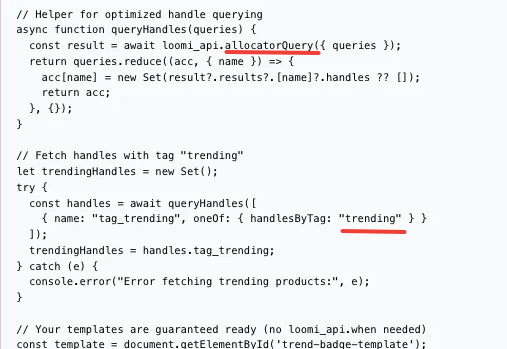
Use product tags to identify trending items and display special messaging or badges.
For example, products tagged with:
trendingcan display a TREND badge on the product card by using a prompt:
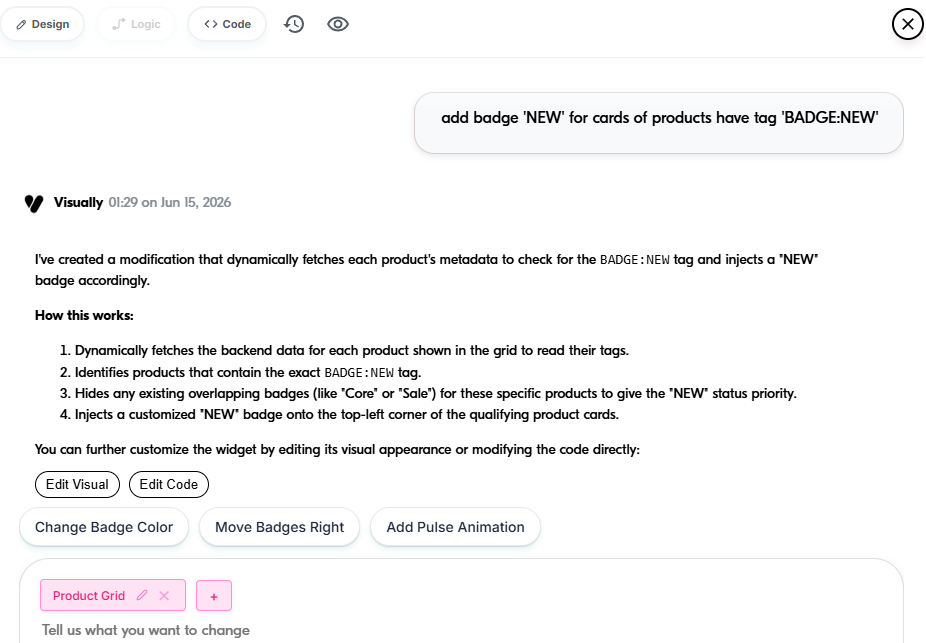
add badge 'TREND' for cards of products have tag 'trending'
Below is a sample prompt you can use depending on your intent, design goal, or strategy. Feel free to add more instructions to further refine the behavior.
Customize Experiences by Collection
Create experiences that behave differently for products belonging to specific collections, such as:
- New Arrivals
- Best Sellers
- Seasonal Collections
- Sale Collections
This enables more relevant recommendations and messaging throughout the customer journey.
Having Trouble?
We’ve got your back.
Email us at support@visually.io or reach out on chat for help with setup or troubleshooting.