
What are outliers?
Outliers are data points that fall far outside the typical range of values and can significantly skew averages and overall trends.
How it works
When Exclude Outliers is enabled in Global Rules:
-
Outliers are automatically excluded from all reports by default. They can also be enabled on a report basis from within the filters.
-
This helps ensure cleaner, more reliable reporting across experiments.
When disabled:
-
Outliers remain included by default.
-
You can still choose to exclude them manually on a per-report basis.
How to enable this:
Navigate to global Rules:
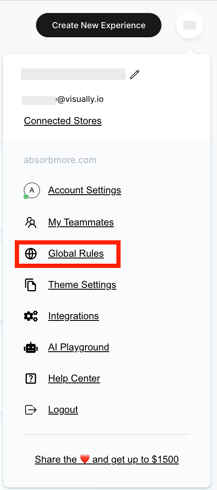
Enable the 'Exclude Outliers from Reports' toggle:

This setting can be updated at any time in Global Rules.