Visually is designed to apply experiences as early and efficiently as possible in the page lifecycle, and in most cases users will not notice any visual flicker.
Because experiences are loaded dynamically in the browser, small visual transitions can occasionally occur when modifying elements that are immediately visible above the fold during initial page render.
When can flicker occur?
Flicker is most likely to occur when:
- Editing above-the-fold content
- Replacing large hero sections
- Reordering visible layout elements
- Applying major styling changes immediately after page load
This is a common challenge across all client-side experimentation and personalization platforms.
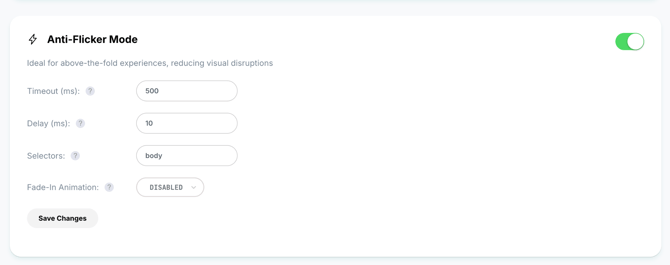
Visually Anti-Flicker Protection
To minimize this effect, Visually provides an optional anti-flicker feature that can be enabled:
- For specific elements
- For individual experiences
- Or for the entire page
The anti-flicker mechanism temporarily hides targeted content until the relevant experience is fully evaluated and rendered, preventing users from briefly seeing the original version before modifications are applied.
This helps create a smoother and more visually stable experience for sensitive or highly visible page areas.