
Primary Audiences allow you to segment your Experience results based on specific visitor characteristics or targeting criteria. Once an Audience is added as a Primary Audience, you can use it as a filter when analyzing your Experience results.
You can build up to 8 primary audiences which can be used in the reporting.
Looking for something else?
View Existing Audiences
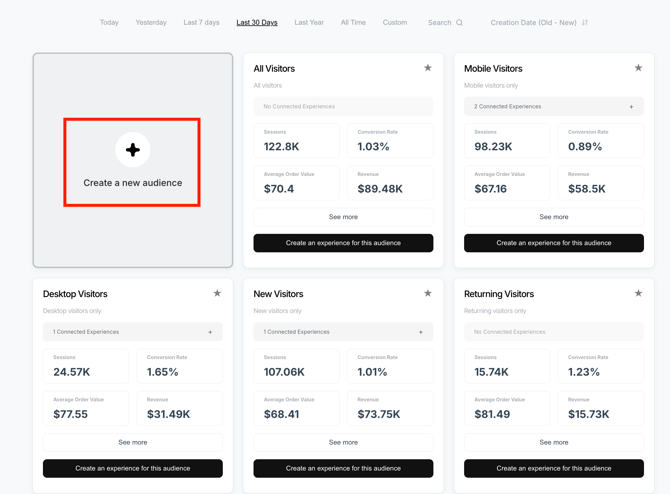
To view your existing Audiences or create a new one, click Audiences at the top of the dashboard.
Visually provides several default Audiences, including New Visitors, Returning Visitors, Mobile, and Desktop.

Data will begin to collect from the moment that you build a new audience and not before.

Create an Audience
To build a new audience click on create a new audience:
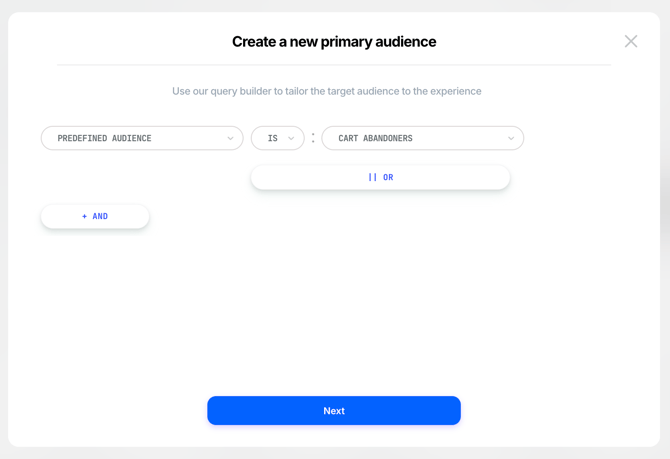
Choose the criterion for the new audience:
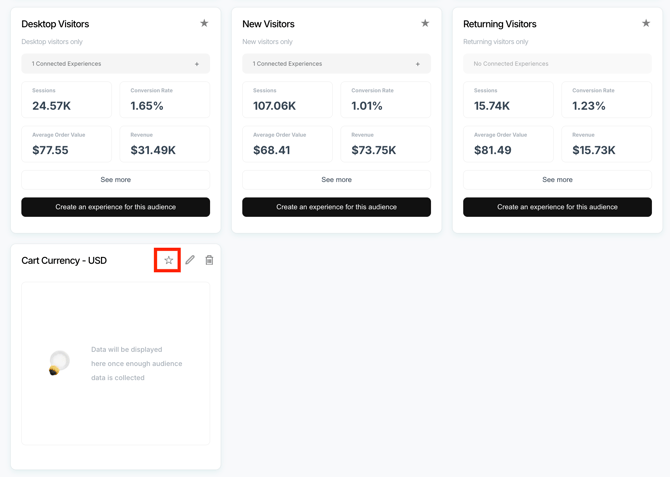
Add an Audience as a Primary Audience
Click on the 'star' to add this to the list of 'primary audiences' that can be used to filter within the reports:
Use Primary Audiences in Reporting
Primary audiences can later be used to filter within the reports:
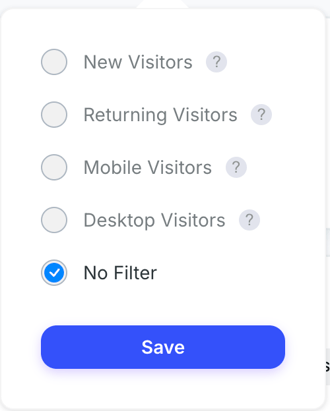
This allows you to analyze your Experience's performance for a specific visitor group.
For example, you can create Primary Audiences based on:
- Country, such as visitors from the United Kingdom
- Device type, such as Mobile or Desktop
- Visitor type, such as New or Returning Visitors
- Other available Audience criteria relevant to your analysis
Important: Reporting Is Not Retroactive
Reporting data for a Primary Audience is not retroactive. Data will only be available from the point at which the Audience is created and set as a Primary Audience.
If you know that you will want to analyze an Experience using a specific Audience, we recommend creating and setting up that Audience as a Primary Audience before launching the Experience or before you need to analyze the data.
For further assistance or questions, reach out on the chat support widget or via support@visually.io.