Before we start
In order to create Visually experiences for the new Checkout Extensibility feature, be sure to add Visually app blocks on the Shopify Checkout Editor.
Feel free to check our detailed guide to enable checkout extensibility on Visually.
Please note!
The Checkout Extensibility feature is restricted to particular elements and interactions, aligning with Shopify's latest policy and the standardization of the checkout process. This article will delve into the current capabilities available.
Rest assured, we will keep our guides updated with any future changes or additional possibilities that may arise.
Create a New Checkout Experience
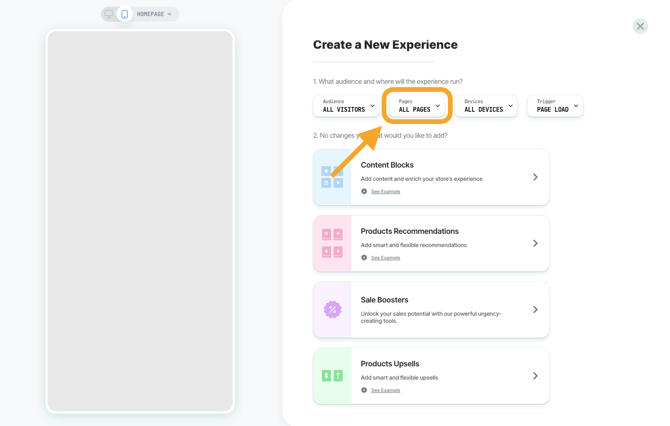
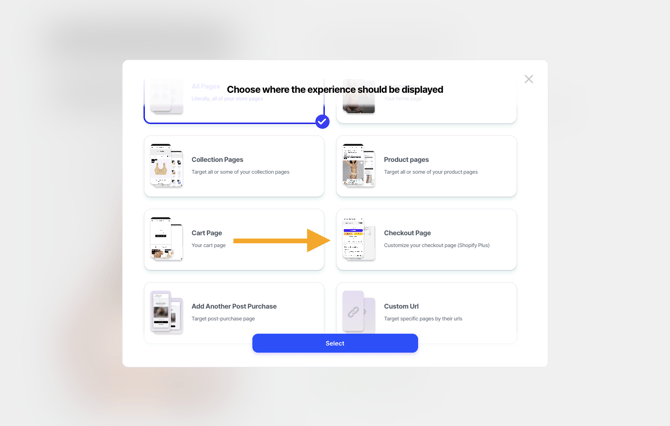
Start by creating a new experience > click on 'Pages' > click on 'Checkout Page'
Define the parameters
Like other Visually experiences, you can define:
-
Audience: Specify who should view this experience.
-
Devices: Choose which devices will display it.
-
Trigger: Defaults to On Page Load.
Select and Customize a Widget
-
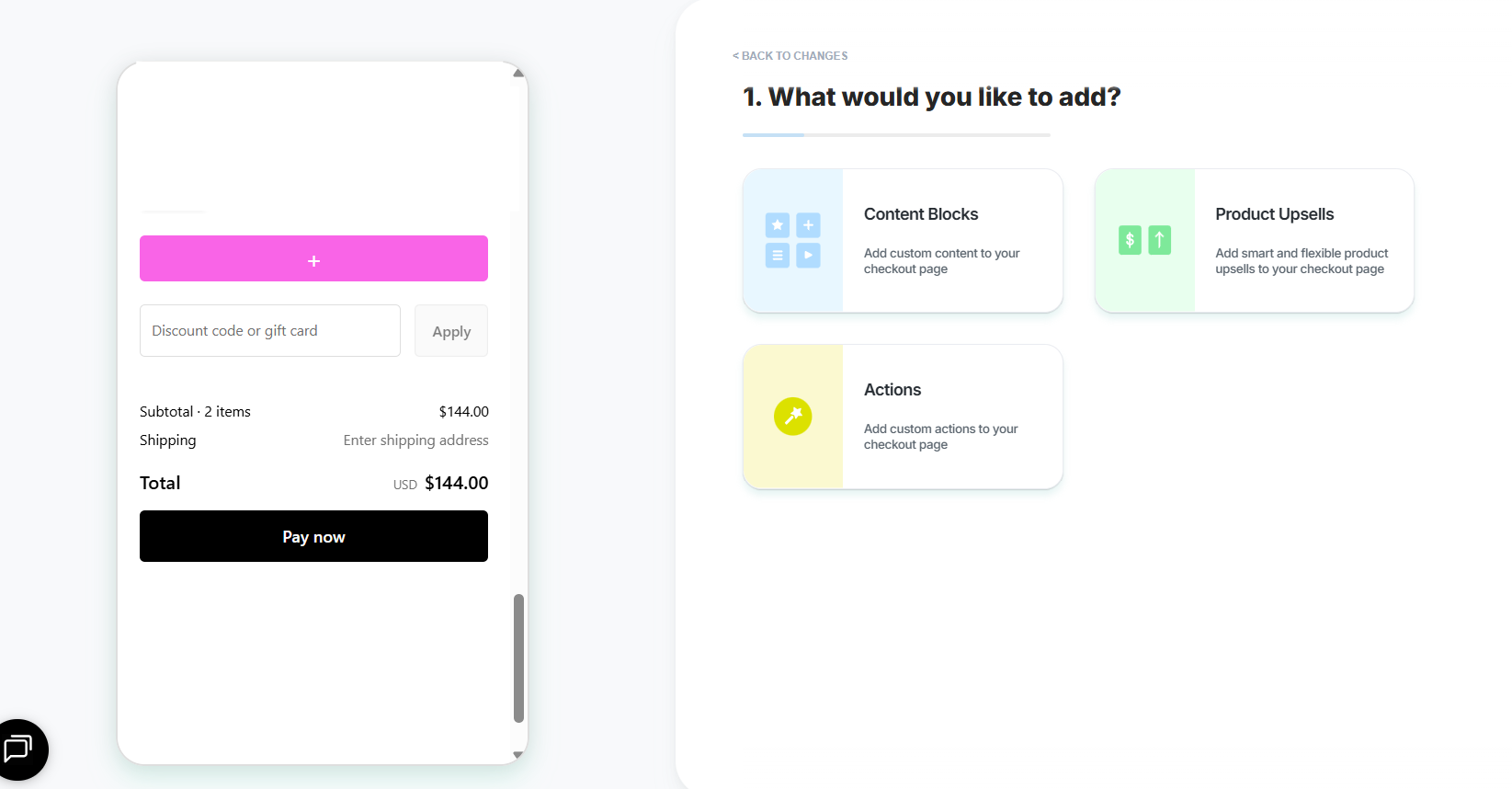
Click on one of the pink blocks in the preview to select the section you want to customize.
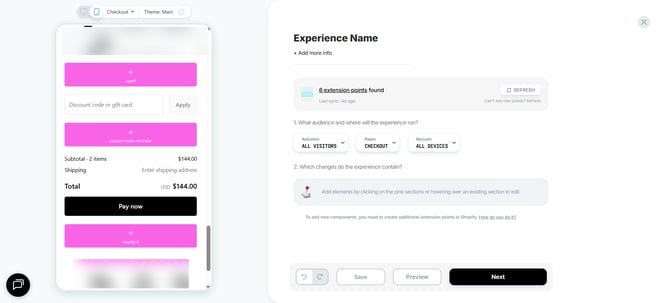
- Checkout Extensibility allows you to add:
- Content Blocks: Stationary messages or images with layout options.
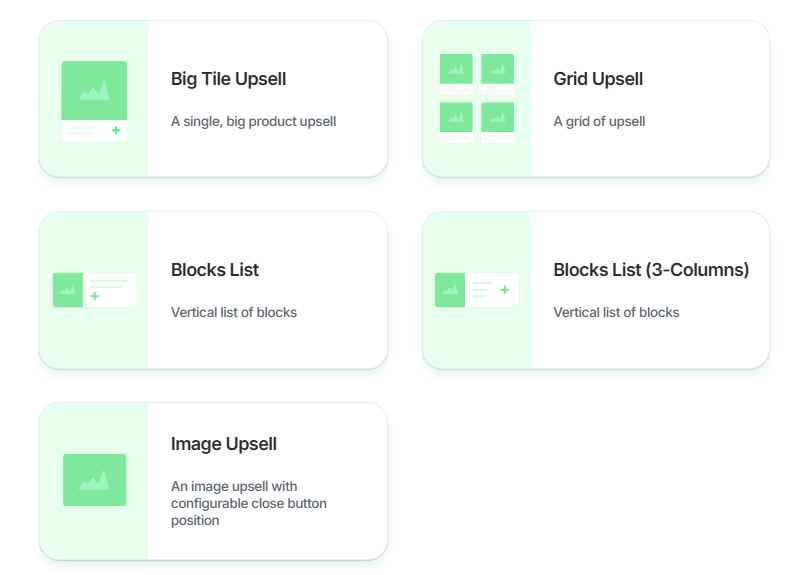
- Product Upsells: Dynamic product recommendations to boost average order value.
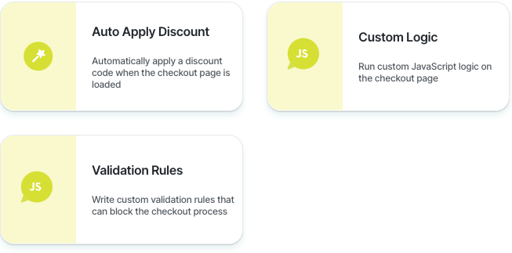
- Actions: Behind-the-scenes modifications affecting checkout behavior.
Note: Design options are limited to what Shopify allows, but you can still A/B test checkout experiences like any other Visually experience.
Content Blocks
Content blocks are stationary messages or images with various layout options.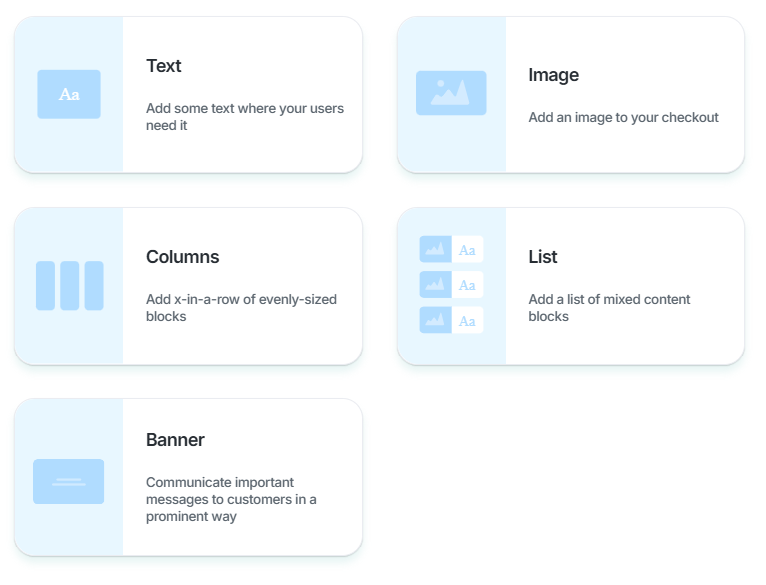
Product upsells
These dynamic product recommendations offer suggestions to add additional items to the cart, ultimately boosting the Average Order Value (AOV).
You can customize these strategies just as you would for any other type of page.
Actions
Actions are behind-the-scenes modifications that influence the behavior of your checkout page.