
For this use case, you can use an Audience as a filter when viewing your Experience's results.
The Audience must be created and set as a Primary Audience before you need to use it for reporting.
For more information about creating and managing Primary Audiences, see our Primary Audiences guide.
The filtering is not retroactive. Results will only be available for the Audience from the point at which it was set as a Primary Audience.
For this reason, if you know that you will want to analyze an Experience by country, we recommend creating the relevant country-based Audience before launching the Experience or before you need to analyze the data.
How Does Country Filtering Work?
There isn't a direct country filter in the Experience results page. Instead, you can create an Audience with a country-based targeting condition and then use that Audience to filter your results.
For example, if you want to view results specifically for visitors from the United Kingdom:
- Create an Audience targeting United Kingdom.
- Set the Audience as a Primary Audience.
- Open the Experience's Results page.
- Select the Primary Audience from the results filter.
- The report will then show the results for visitors who belong to that Audience.
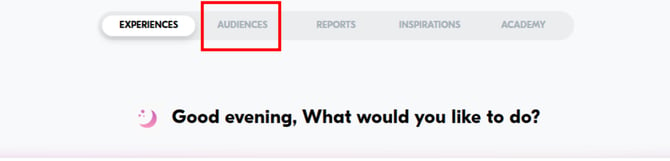
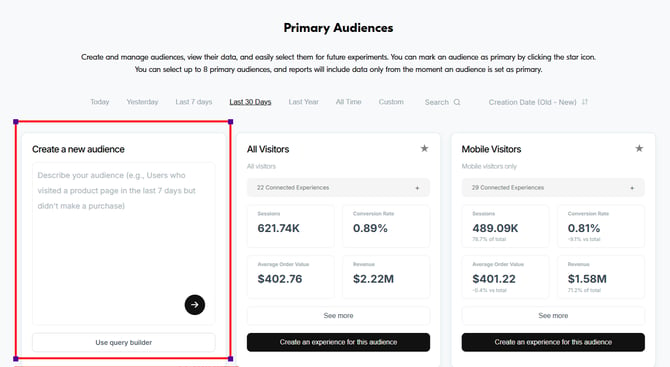
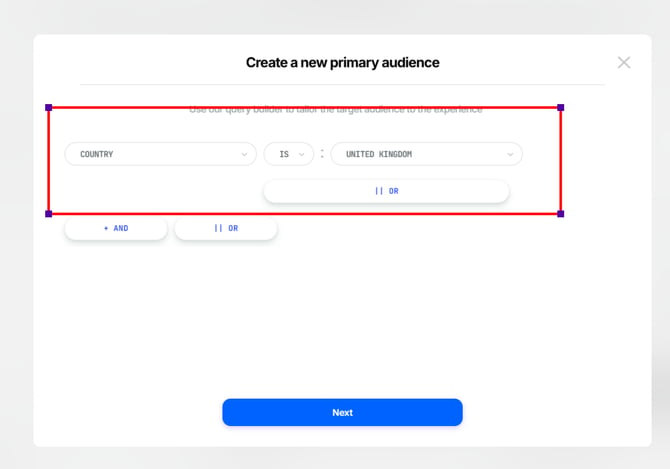
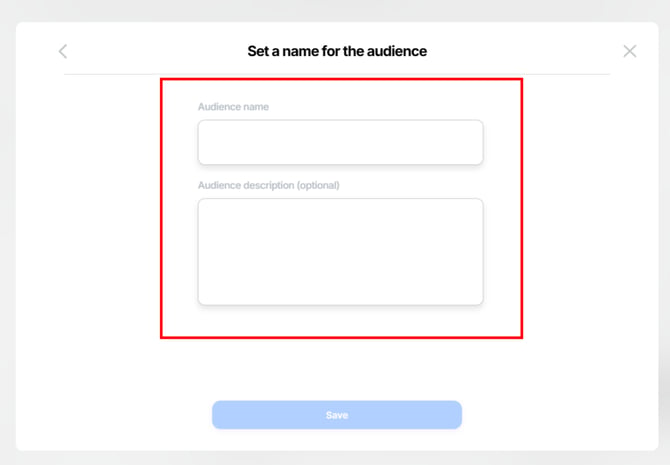
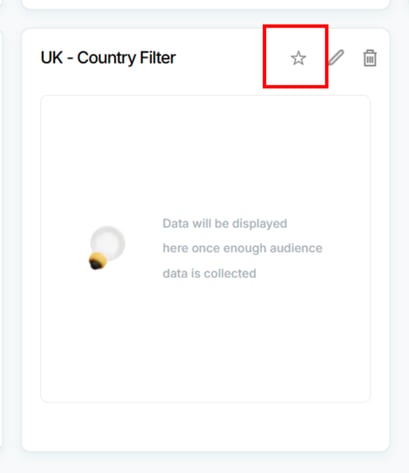
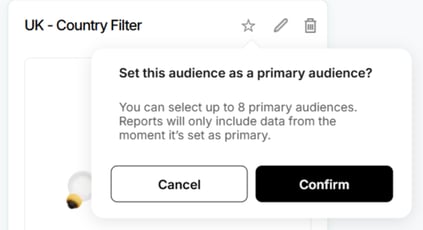
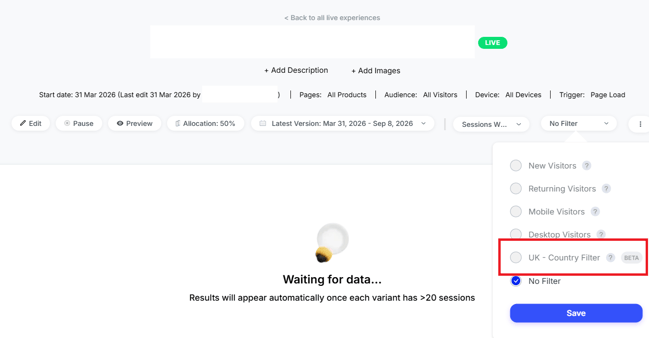
You can create additional country-based Primary Audiences if you want to analyze other countries separately.
In Summary:
To filter Experience results by country, create a country-based Audience and set it as a Primary Audience.
Remember that the Audience needs to be configured in advance, as the reporting data is not retroactive.
For further assistance or questions, reach out on the chat support widget or via support@visually.io.